
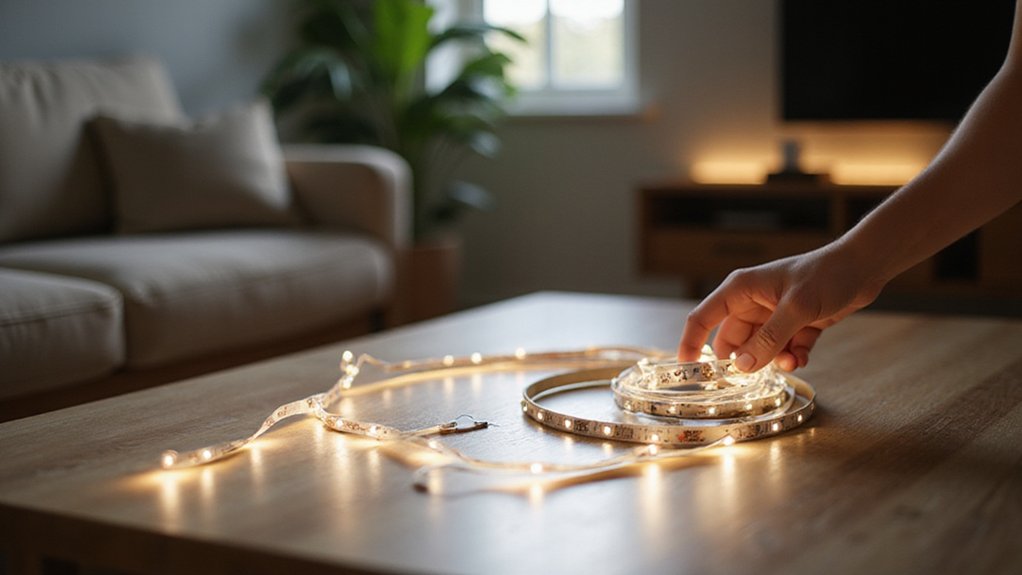
Struggling to figure out how to connect your LED strip lights properly? It’s easier than you might think, once you know the right steps.
By the end, you’ll understand how to cut, match connectors, wire everything correctly, and mount your strips securely for a safe, professional-looking install.
The full details are just below.
Cut the LED Strip at Copper Markings Only
To reconnect your LED strip, you must cut only at the copper markings. These are the designated safe zones marked by scissor icons or dotted lines between the copper pads. Always disconnect the power before cutting to prevent short circuits. For 12V strips, cut points are spaced every 3 LEDs; for 24V strips, every 6 LEDs. Use sharp scissors or precision cutters, and guide your cut with a ruler to ensure a clean, straight cut through the center of the copper pads. Wobbly cuts can destroy copper connectors, hindering future connections. This precise cut is essential for enabling reliable connections, accurate color customization, and correct length adjustment. After cutting, examine the copper pads for any damage. If they’re compromised, recut with a sharper tool. Finally, peel away the backing of the adhesive tape and remove any rubber covering from the cut end to prepare it for connection. Choosing the right form of a dedicated workspace will help you avoid rushing through technical tasks like this. Knowing the standard sizes for furniture helps in planning where to place your completed strip for a clean install. For a more natural look, consider comparing faux wood vs. wood blinds to match your lighting install with the room’s aesthetic.
Match the Connector to Your LED Strip Type
After cutting your LED strip at the designated copper markings, the next step is to select a compatible connector. First, measure your PCB width: choose 8mm for single-color 3528 or 2835 chips, 10mm for 5050 or 5630 higher-brightness strips, and 12mm for wider strips. Next, count the pin holes on your strip: 2-pin for single-color, 3-pin for dual white CCT, 4-pin for RGB, 5-pin for RGBW, and 6-pin for RGBCCT. This ensures you match the connector to your specific strip type. Consider the storage bin’s dimensions, such as a 27 gallon bin measuring roughly 27 by 18 by 14 inches, to organize your LED strips and connectors efficiently. For a clean workspace, you can also lay down a soft cloth to protect the strips from scratches during assembly. For a more natural wake-up experience, you might consider a sunrise alarm clock that mimics gradual light changes.
It’s vital to verify your power supply specifications. Confirm that your connector’s voltage rating matches your strip, either 12V or 24V DC, and check that its current rating can handle your total amp draw, such as 5A for most 5050 LED strips. Selecting the correct connector style—such as SMD or COB-specific designs—and ensuring waterproof IP65 ratings are important for damp or outdoor installations. Always test-fit your connector before securing it tightly to avoid any misalignment or damage.

Upgraded Connectors: Crafted from high-quality transparent crystal, LED connector boasts an elegant appearance with no dark areas, aiding the light strip in emitting a complete and unobstructed glow

RELIABLE AND EASY TO USE cable jumper connection for bending your strips around a corner extending them across a gap or connecting them to a power supply or dimmer. 100% solder free!
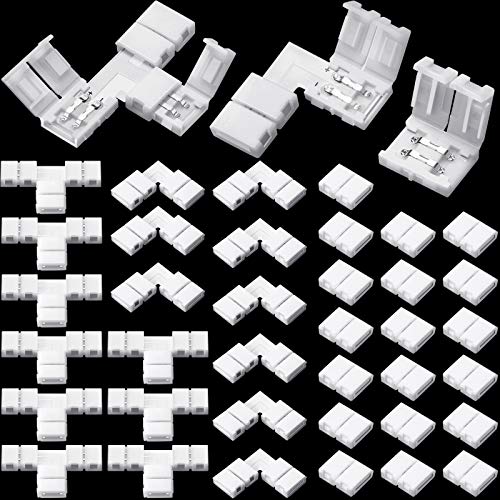
What You Will Get: the 8mm led strip connectors 2 pin package comes with 10 pieces L shape RGB connectors, 20 pieces gapless 2 pins connectors and 10 pieces T shape LED adapters light connectors, the sufficient quantity could meet your various demand in daily life
Wire the LED Strip by Matching Wires to Copper Pads
Start by matching each wire to its corresponding copper pad on the LED strip. For correct polarity, connect the red wire to the positive (+) pad and the black wire to the negative (-) pad. On RGB strips, follow the color coding: red, green, and blue wires to their respective R, G, and B pads. Ensuring proper connection prevents circuit issues and reverse polarity damage. Position the tinned wire directly onto the tinned copper pad. Heat the pad for 1 to 2 seconds with your soldering iron, then introduce fresh solder into the junction. Hold the wire steady during this process until the solder cools and solidifies. This method guarantees a secure, conductive bond that keeps your LED strip functioning correctly. A can light conversion kit can simplify your installation by providing a ready-made housing for the LED strip. Keeping the workspace tidy is easier when you use a drawer organizer to store your tools and spare components. For optimal heat transfer, hold the soldering iron at a shallow angle while contacting the pad.

【UPGRADE SOLDERING IRON】The 100W soldering iron uses a high-power, advanced plug-in ceramic heating core that heats up quickly in 15 seconds, allowing you to work faster. Its temperature calibration function also ensures accurate and reliable temperature control. The pen-style iron is also portable and easy to carry.
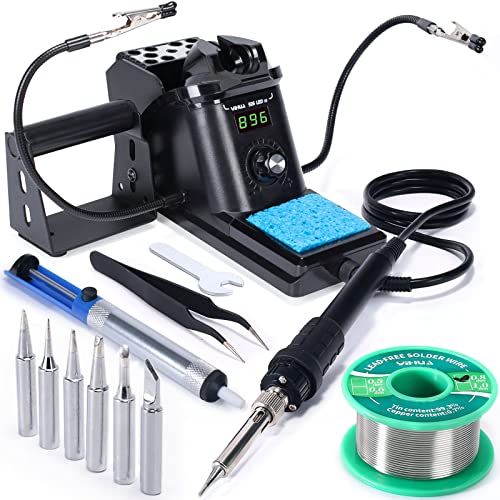
Fast Heating & Adjustable Temperature - This digital soldering station heats up fast and has a wider temperature range (194℉~896) to choose from. The soldering iron can stay at the set temperature consistently with its PID temperature stabilization. This product conforms to the UL Standard (U.S.), [an Important Evaluation for Electric Appliances Safety].

【Professional Function Design】This 60w 110v pencil-type soldering iron features adjustable temperatures(392 ℉-842 ℉/200-450 ℃) and thermostatic setting. In addition, our soldering iron with ON/OFF Switch, which is easy to save energy and ensure safe welding.
Use Parallel Wiring for Multiple LED Strips
Calculate your total wattage by adding up the power consumption of all your LED strips. Then, add a 20 percent margin to ensure safety and account for future expansions or voltage fluctuations. Your power supply should be rated at least 80 percent of this total to avoid overloading. When wiring, use heavier-gauge cables from the power supply to your connection point to minimize voltage loss and ensure stable brightness. Insulate every connection with heat shrink tubing or electrical tape to prevent shorts and maintain safety. For a secure installation, always turn off power at the circuit breaker before working on any electrical connections. For circuits using standard LEDs rather than strips, properly limit current by selecting resistors based on LED specifications to protect components. Following these steps keeps your system reliable, efficient, and consistently bright. For a tidy cable management solution, a top purse organizer can help keep your wires and tools neatly contained while working on the project. Just as a lava lamp turning into one big blob indicates an overheating issue with the bulb, a power supply that is too weak can cause your LED strips to dim or flicker instead of operating at their optimal temperature range.
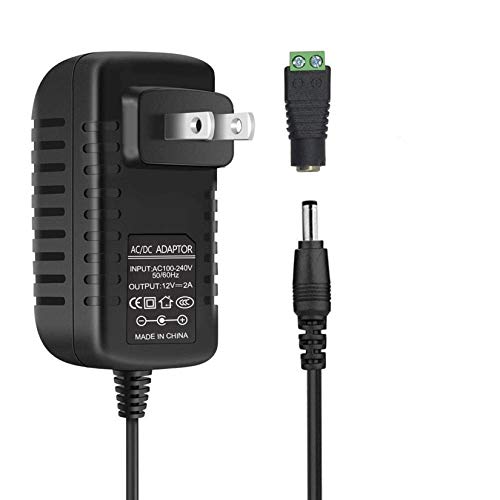
[INPUT&OUTPUT] 12V 2A power supply, 100-240V AC input, 50/60Hz, DC 12V 2A output, 24 Watt (24W) maximum power output

UL Listed 12V 2A AC to DC Charger: Regulated 12V Power Cord Tested & Approved and Certified by UL, UL FCC Safety Certificates(E329462). Build in short circuit/Over current/Over voltage/Over temperature protection/ 18Awg Power Wire / Low Fever / No Noise / Long Lifespan / High Quality Shockproof Packing Box

Important Note: 1. Before purchasing, please check whether the working voltage of your device is 12V and the current is not greater than 5A; Please do not use for 5V 9V 19V 20V 24V 36V devices and other devices require lower or higher working voltage than 12 volts 2. Check whether the DC connector is the same size as the product
Mount the LED Strip Section by Section for Strong Hold
To ensure a strong hold, mount your LED strip section by section on thoroughly cleaned, non-porous surfaces. Peel the adhesive backing in 2-inch increments and press each segment firmly for 10 to 15 seconds. This method keeps the strip straight, prevents air pockets, and promotes better adhesion. Starting from the plug-in end helps maintain consistent alignment throughout installation. Using a plastic squeegee or roller after each section can help remove any remaining air bubbles for a flatter finish. This technique is similar to installing tinted window film, where a squeegee is used to smooth out bubbles for a professional result.
Press firmly from one end to the other, using a plastic roller or your thumb to apply even pressure. This step eliminates raised sections and gaps that could weaken the bond. If mounting on textured paint, reinforce adhesion every 30 to 50 centimeters with low-profile clips or neutral-cure adhesive dots. For added structural support and improved heat management, first mount aluminum channels—these also help protect your power supply from overheating. Always verify connections are correct before powering up to prevent damage. Unlike salt lamps, which should never be licked due to potential hygiene and safety risks, LED strips require only mechanical care during installation.

Application: Our LED Strip Channel Roller Tool is perfect for both professionals and DIY enthusiasts who work with LED strip installations. It ensures a professional finish and enhances the overall aesthetics of indoor and outdoor lighting projects, such as accent lighting, architectural lighting, and signage.

Application: Our LED Strip Channel Roller Tool is perfect for both professionals and DIY enthusiasts who work with LED strip installations. It ensures a professional finish and enhances the overall aesthetics of indoor and outdoor lighting projects, such as accent lighting, architectural lighting, and signage.

Application: Our LED Strip Channel Roller Tool is perfect for both professionals and DIY enthusiasts who work with LED strip installations. It ensures a professional finish and enhances the overall aesthetics of indoor and outdoor lighting projects, such as accent lighting, architectural lighting, and signage.
Test the LED Strip Lights Before Final Mounting
Test the LED strip lights thoroughly before final mounting. Begin by unrolling the entire strip completely—never power it while still coiled, as this can cause heat buildup and damage. Lay the strip flat on a table to allow proper heat dissipation and assess its overall condition.
Use a multimeter set to diode mode to check the electrical continuity. Touch the red probe to the positive wire and the black probe to the negative wire; a voltage drop between 1.8 and 3 volts indicates the LED is functioning correctly. If you see an overload, swap the probes to check for reverse polarity. If the LED still does not light, the component may be burned out and require replacement. For a complete setup, consider budget-friendly ideas from a DIY hat rack project to reuse materials for mounting. As you test, keep the strip away from flammable surfaces to follow safety tips from the dragon night light guide. Before testing, confirm you have disconnected the existing ceiling light to avoid any electrical hazards.
Next, verify the power supply’s voltage—if it’s rated for 24V DC, confirm this before connecting the strip. To test the color channels, briefly touch the negative wire to each positive lead individually. This confirms each color works correctly and helps identify any weak spots.
Inspect the entire length of the strip for dark spots, flickering, or weak joints. Address any issues immediately before mounting. Proper testing ensures the LED strip operates safely and reliably once installed.
Check the Remote for Proper LED Strip Control
To check the remote for proper LED strip control, start by inspecting the remote’s batteries. Replace depleted CR2025 cells with fresh ones, ensuring the correct polarity. Clean the battery contacts with isopropyl alcohol to promote a good connection. If your remote has plastic isolation tabs, remove them before testing. For reliable performance, consider using night lights that have been reviewed for quality and performance alongside your LED strip setup. When measuring your space for the LED strips, use a metal tape measure for accurate dimensions to ensure a perfect fit and avoid cutting errors. You can also incorporate custom woodworking techniques from DIY furniture projects for a tailored installation.
Next, look for signal interference. Turn off nearby Bluetooth, WiFi, or other IR devices that could disrupt the signal. For IR remotes, make sure nothing blocks the line of sight to the receiver. Point the remote directly at the sensor and use a smartphone camera to verify IR flashes — if you see a flicker, the remote is transmitting. For RF remotes, test the control from various distances, moving closer if necessary to see if the response improves. Since loose connections account for around 25% of remote failures, also inspect and secure all wiring between the power supply, controller, and LED strips for proper operation.
If the remote still doesn’t work, try pairing it again. Power off the LED controller, wait about 5 to 10 seconds, then power it back on. Press the remote’s ON button to initiate pairing. Watch for a flashing LED on the controller, which indicates a successful connection. If pairing fails or the remote remains unresponsive, consider replacing it with a model compatible with your LED controller to ensure reliable operation.

3V LITHIUM Coin Lithium Batteries: One 2 pack of Energizer 2025 Batteries

IN THE BOX: 6-pack of CR2025 3-volt lithium coin cell replacement batteries for small electronic devices

LONG LASTING PERFORMANCE: Panasonic CR2025 3.V batteries are engineered to provide reliable, long-lasting power