
Ever wondered how to wire a Lutron dimmer switch correctly and safely? It’s a straightforward process once you understand which wires connect where.
In this guide, you’ll learn the essential steps, from turning off power to securing connections, so you can enjoy a well-controlled lighting setup. Keep reading to see how to do it the right way.
Turn Off the Breaker and Test for Power First
First, turn off the circuit breaker and test for power to ensure safety. Locate the correct breaker for your light fixture and switch it fully to the OFF position. Don’t rely on memory—label the panel to warn others. Use a non-contact voltage tester and perform a sweep on all wires in the box, not just the obvious hot wire. This confirms whether the power is truly off. Pay attention to color coding: black or red wires are typically live, but don’t assume. If the tester remains silent, the circuit is off. Still, re-test immediately after removing the switch from the wall. If the tester lights up, stop—power is still live, and you must not proceed until you verify zero voltage. Always double-check power is off before wiring by turning the breaker off and testing. A well-organized workspace or desk can help you keep your tools and voltage tester within easy reach during the job. Remember to follow a clear step-by-step process to avoid mistakes when removing the old fixture. Unlike a window valance, which adds a decorative cover to the top of a window, this step prioritizes absolute electrical safety before any installation work begins.
How to Identify Wires on Your Old Lutron Dimmer Switch
To identify the wires on your old Lutron 3-way dimmer switch, start by noting that the black lead acts as the common terminal. You need to tag the wire connected to the different-colored screw on the switch, which is your common wire. The red lead functions as the switch leg. To determine which wire is hot, use a multimeter to test voltage against ground. Confirm that it reads approximately 120 volts, but do not assume black is always hot—testing prevents mistakes. Before proceeding, always confirm power is off at the circuit breaker to ensure safe handling. When installing your new dimmer, match your tagged wire to the black screw on the dimmer for proper connection. Before starting, it is advisable to read the instructions thoroughly to understand the steps involved. Additionally, if you notice flickering after installation, it may be caused by incompatible LED bulbs requiring a dimmer specifically rated for LEDs. A DIY approach can save you money on installation costs by avoiding professional fees.
Wiring a Lutron Dimmer: Neutral vs. No-Neutral Setup
No-neutral setups are ideal for wireless integration and smart switches, especially in older homes that lack neutral wires. Models like the no-neutral Caseta switch still support advanced features without requiring a neutral wire, and they do not clog your WiFi network. However, without a neutral connection, excess voltage can leak to LEDs, causing ghosting or flickering. If your electrical box includes a neutral wire, it is best to use it to ensure optimal performance and compatibility. If there is no neutral, first confirm your load type—neutral-based dimmers typically provide better control for most LED applications, leading to more reliable and consistent dimming. For those seeking optimal performance, choosing a model that prioritizes quality and performance ensures stable dimming with no flicker. Before any wiring, ensure the circuit breaker is switched off. When weighing function and cost, consider that single cell shades offer a simpler, lighter option for basic light control.

NO-NEUTRAL REQUIRED: For use in homes without neutral wiring in the electrical wallbox, requires MLWSB Decora Smart Wi-Fi Bridge (sold separately) EASY INSTALL: LINE, LOAD,...
How to Connect Ground Wires When Your Box Has None
If your electrical box has no dedicated ground wire, you can still safely install a Lutron dimmer by using the metal box itself as your grounding point, assuming it is properly grounded through the conduit. First, verify the grounding method with a multimeter to check for continuity between the hot wire and the box; a reading under 10 ohms indicates a good ground connection. For added safety, attach a green grounding screw to a pre-tapped hole in the metal box or hammer a grounding clip onto its edge. Create a ground pigtail by connecting a short piece of green wire under the screw, and then wire-nut its other end to the dimmer’s ground wire. This configuration ensures your device is properly grounded, maintaining safety even without a dedicated ground wire. Using an outlet tester can reveal an open ground condition, confirming the need for this grounding approach.
Single-Pole Lutron Dimmer: Black and Red Wire Connections
Once you’ve identified the hot wire from the old switch, connect it to the black wire on your Lutron dimmer. If your old switch had two black wires, attach the black dimmer wire to the one connected to the switch, using the different-colored screw on the dimmer for clarity. Make sure the wire length is proper so the wires fit snugly inside the electrical box. If two wires shared a screw on the old switch, keep them together on the black dimmer wire to maintain the same connection. Using a stud finder can help you locate a nearby anchor point if you later need to mount the electrical box securely in sheetrock. For pendant light upgrades, can light conversion kits offer another way to modernize your existing ceiling fixtures.
Next, connect the red dimmer wire to the remaining wire that goes to the light fixture, typically the other black house wire in a single-pole setup. Do not worry about color coding confusion—simply trace which wire was attached to each terminal on the old switch. Cap off any unused red or white wire from the dimmer; it isn’t needed for this installation. Similar to window film removal, careful handling of wires prevents damage. With the black and red wires properly connected, your wiring is complete and ready for testing.

ADD A NEW SWITCH ANYWHERE: Add a new switch location anywhere in under 15 minutes. Simply replace the existing light switch with the Caseta dimmer and mount the Pico remote anywhere you'd like to control the lights. Pico fits in a standard wallplate to blend in with other switches

ADD A SWITCH TO YOUR LAMPS: Avoid walking through a dark room to turn your lamps on or off. Simply plug the lamp into the lamp dimmer/switch and put the Pico remote at the entrance of the room. Perfect for bedrooms with nightstand lamps or living rooms that have lamps

WHEN QUALITY MATTERS: For flicker-free dimming, the Lutron Ariadni dimmer switch is continuously tested with today's LEDs for flicker-free dimming. Visit Lutron's LED compatibility tool to find the LED bulbs perform the best
3-Way Lutron Dimmer Wiring: Black, Red, and Red/White Wires
To wire a 3-way Lutron dimmer using black, solid red, and red/white striped wires, start by turning off the power at the circuit breaker. Carefully remove the existing switch, tagging the wire connected to the common screw—usually a different color—before disconnecting it. This tagged wire is the common; connect it to the black wire on the dimmer using a wire connector.
Next, follow the color coding: connect the solid red dimmer wire to one traveler wire from the wall, and the red/white striped wire to the other traveler wire. If both wires were attached on the same screw on the old switch, connect both to the black dimmer wire. Be sure to connect the green ground wire to the bare copper or green grounding wire, and if your dimmer requires, add a white pigtail to the neutral bundle. Tighten all wire nuts securely and give each connection a gentle tug to ensure stability. For a more whimsical approach to your lighting project, you can use a dragon night light as a decorative alternative. Choosing between soft white and warm white bulbs involves weighing style and function to match your space.
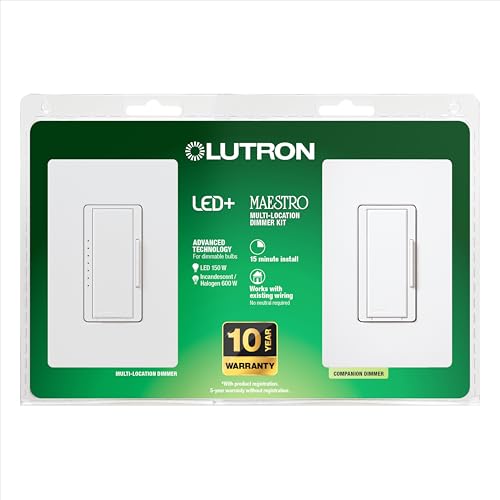
MULTI-LOCATION DIMMING: Have full dimming control from every location in a 3-way using the included companion dimmer. Additional companion dimmers can be used for 3 or more locations.

ADD A NEW SWITCH ANYWHERE: Add a new switch location anywhere in under 15 minutes. Simply replace the existing light switch with the Caseta dimmer and mount the Pico remote anywhere you'd like to control the lights. Pico fits in a standard wallplate to blend in with other switches

【3 WAY SMART DIMMER SWITCH】Replaces traditional 3-way switches found in living rooms, stairways, and hallways. Adjust lighting remotely via the Tapo or Kasa app for energy savings and convenience of smart technology
Where Does the Blue Wire Go on a Lutron Smart Dimmer?
The blue wire on a Lutron smart dimmer connects to the traveler wire in multi-location wiring setups. Unlike traditional wires, it carries digital signals, not line voltage. To identify the correct traveler, look at your existing switch; the wire attached to the different-colored screw is your target. Connect this traveler to the blue wire on the master dimmer and the same traveler to the blue terminal on the companion dimmer. If you are wiring in single-pole mode, do not use the blue wire at all. Instead, cap it with the provided connector and leave it disconnected. Properly wiring the blue wire ensures the master dimmer receives commands. Double-check your traveler identification before tightening any connections to avoid communication issues. When wiring in single-pole mode, capping the blue wire is a standard safety procedure to prevent accidental contact.

THE GOLD STANDARD IN DIMMING: Lutron’s advanced technology provides smooth LED dimming used for everyday light bulbs to reduce flicker, buzz, and delay to enhance comfort and ensures consistent dimmer switch reliability across LED lighting

MOST CONNECTED: Caseta connects with more leading smart home devices - including Alexa, Apple Home, Google Assistant, Sonos home automation, and more - than any other smart dimmer light switch brand (Lutron Smart Hub, L-BDG2-WH, required)

Controls Lutron Caseta dimmers and plug-in lamp dimmers (sold separately)
How to Push Wires Into the Box Safely
Always shut off the power at the breaker and confirm the circuit is dead with a voltage tester before pushing wires into the box. This step is essential for your safety. Focus on organizing the wires by guiding them smoothly to their final positions. Start with the ground wire, pushing it deep into the back corner of the box. Keep neutral and hot wires on opposite sides to avoid contact. Fold the wires down gently in an accordion pattern, avoiding stuffing or cramming. This prevents stress on the connections and reduces the risk of future issues. Leave about six inches of bare conductor to ensure enough slack. Use needlenose pliers to twist bare wires together tightly before securing them with a wire nut. Make sure all connections are fully enclosed within the wire nut. When repositioning the wires, gently push them back into the box, keeping them to the sides to prevent pinching by the cover screw. Pre-training wires directs them into corners for easier, neater box filling. The goal is to achieve a tidy, safe fit that allows room for the cover and maintains wiring integrity.
Turn Power Back On and Test Your Lutron Dimmer
Once you’ve restored power at the circuit breaker, check the green LED indicator on your Lutron dimmer. It should turn on steadily, confirming the device has power. If it stays off, ensure the FASS tab is fully pushed in. Press the main switch to turn the light on and off; it should respond smoothly. Slowly slide the dimming lever up and down—your light should brighten and dim without flickering. If you notice any issues, pull the FASS tab out for 10 seconds to reset the dimmer. This process depends on careful observation of the switch’s behavior, so take your time. For safety, verify that no wires are loose and that the breaker remains on. Once everything is functioning correctly, your setup is ready for use. To fine-tune the dimming range and stop any flickering, hold the top dimming button for about five seconds until the indicator blinks to enter programming mode. For best results, consider whether your bulb type—such as tungsten bulbs or LEDs—affects the dimmer’s compatibility. Additionally, you may want to review how roller shades differ from solar shades to avoid similar choices in your home’s lighting and window treatments.
How to Stop Lutron Dimmer Flickering With the Range Lever
If your Lutron dimmer flickers, adjusting the range lever often resolves the issue. For troubleshooting, press and hold the ON and LOWER buttons simultaneously for six seconds until the indicator blinks. Release the buttons, then hold the LOWER button to enter low-end adjustment mode. Tap the RAISE button repeatedly until the lights stay on without flickering. Once the flickering stops, hold the OFF button until the lights cease blinking to save the setting. If you need a more permanent mounting solution, remember that closet shelves should be leveled carefully to prevent items from sliding. For fabric blinds, it is important to use gentle methods to avoid damaging the material.
For older models without a range lever, use the physical dial. Turn the dimmer on, slide it down, and then rotate the dial clockwise until the lights stabilize. Stop turning if the dial stops. Turn the dimmer off and back on to test. If the bulbs do not light, rotate the dial slightly counter-clockwise and repeat the process. This method works for most Lutron dimmers, ensuring smooth dimming and stable lighting. When choosing a bedside table, note that standard heights range between 24 and 28 inches to match the top of your mattress.
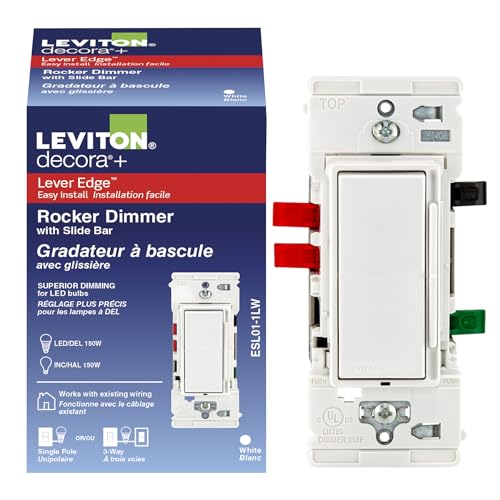
MODERNIZE YOUR HOME – Upgrade your current wall switch to a dimmer switch for an easy and cost-effective update that works with existing wiring in newer and older homes, a neutral wire is not required for installation. Slim profile for easy installation, 150W LED, CFL, incandescent and halogen

Motion sensor switch automatically turn lights on and off to favorite dimmed level when you enter or exit a room

Toggle switch turns LED lights on/off to favorite light level. Small slider dims and brightens the light bulbs